
OSI Model & TCP/IP Model
A comprehensive guide to understanding network layer models.
1. TCP/IP Model (4 Layers)
The TCP/IP model is the practical model used on the internet.
Layers:
| Layer | Name | Protocols |
|---|---|---|
| 4 | Application | HTTP, HTTPS, FTP, SMTP |
| 3 | Transport | TCP, UDP |
| 2 | Internet | IP, ICMP, ARP |
| 1 | Network Access | Ethernet, WiFi |
flowchart LR
subgraph OSI["OSI 7-Layer Model"]
direction TB
L7["7. Application"]
L6["6. Presentation"]
L5["5. Session"]
L4["4. Transport"]
L3["3. Network"]
L2["2. Data Link"]
L1["1. Physical"]
L7 --> L6 --> L5 --> L4 --> L3 --> L2 --> L1
end
subgraph TCPIP["TCP/IP 4-Layer Model"]
direction TB
T4["Application Layer
(HTTP, FTP, DNS, SMTP)"] T3["Transport Layer
(TCP, UDP)"] T2["Internet Layer
(IP, ICMP, ARP)"] T1["Network Access Layer
(Ethernet, Wi-Fi)"] T4 --> T3 --> T2 --> T1 end L7 -.-> T4 L6 -.-> T4 L5 -.-> T4 L4 -.-> T3 L3 -.-> T2 L2 -.-> T1 L1 -.-> T1
(HTTP, FTP, DNS, SMTP)"] T3["Transport Layer
(TCP, UDP)"] T2["Internet Layer
(IP, ICMP, ARP)"] T1["Network Access Layer
(Ethernet, Wi-Fi)"] T4 --> T3 --> T2 --> T1 end L7 -.-> T4 L6 -.-> T4 L5 -.-> T4 L4 -.-> T3 L3 -.-> T2 L2 -.-> T1 L1 -.-> T1
3. Data Encapsulation & Protocol Data Units (PDU)
flowchart TD
D["📄 User Data"] -->|"Add App Header"| PDU1["📦 Data / Message (Application Layer)"]
PDU1 -->|"Add TCP/UDP Header (Ports)"| PDU2["📦 Segment (Transport Layer)"]
PDU2 -->|"Add IP Header (Source/Dest IP)"| PDU3["📦 Packet (Network Layer)"]
PDU3 -->|"Add MAC Header + Trailer (FCS)"| PDU4["📦 Frame (Data Link Layer)"]
PDU4 -->|"Convert to Signals"| PDU5["⚡ 01010101 Bits (Physical Layer)"]
3. Layer Details
1. Physical Layer
The physical transmission of raw bits over a medium.
Components:
- Cables (Ethernet, Fiber optic)
- Hubs
- Repeaters
- Network adapters
Think of it as: The truck carrying the mail.
2. Data Link Layer
Handles node-to-node data transfer and error detection.
Key Concepts:
- MAC addresses
- Frames
- Switches
Think of it as: The envelope containing the letter.
3. Network Layer
Handles routing and logical addressing.
Key Concepts:
- IP addresses
- Routers
- Routing tables
Think of it as: The address on the envelope.
4. Transport Layer
Ensures reliable data delivery between hosts.
Key Concepts:
- TCP (reliable, connection-oriented)
- UDP (fast, connectionless)
- Port numbers
- Segmentation
Think of it as: The guarantee of delivery.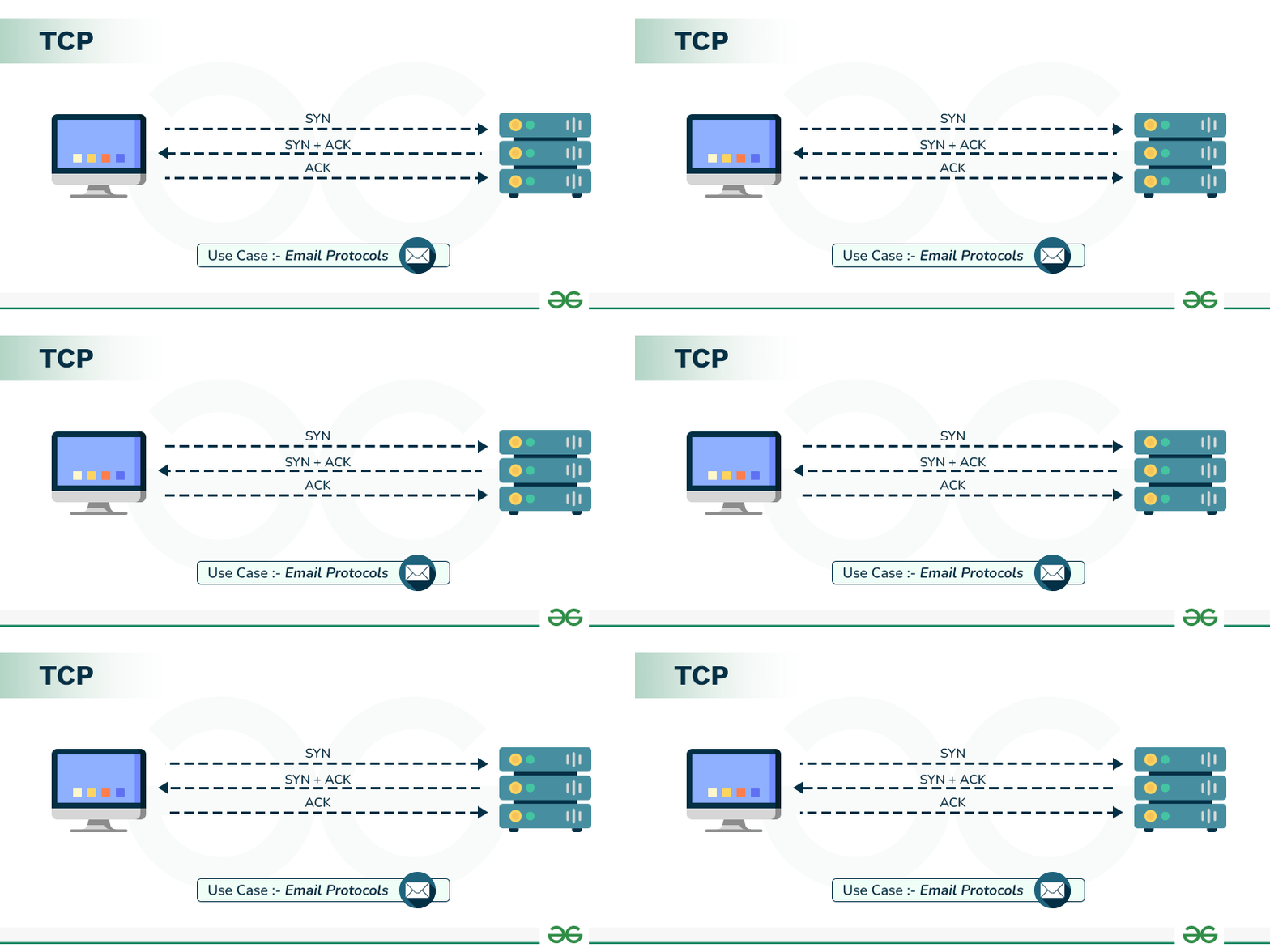
5. Session Layer
Manages sessions between applications.
Functions:
- Session establishment
- Session maintenance
- Session termination
6. Presentation Layer
Translates data between application and network formats.
Functions:
- Data encryption/decryption
- Data compression
- Format conversion (JPEG, MP4, ASCII)
7. Application Layer
The interface between the user and the network.
Common Protocols:
- HTTP/HTTPS (Web)
- FTP (File Transfer)
- SMTP (Email)
- DNS (Domain Resolution)
4. OSI vs TCP/IP Comparison
| Feature | OSI Model | TCP/IP Model |
|---|---|---|
| Layers | 7 | 4 |
| Development | ISO | DoD |
| Approach | Theoretical | Practical |
| Layer Separation | Strict | Flexible |
| Usage | Reference model | Internet standard |
Layer Mapping
| OSI Layers | TCP/IP Layer |
|---|---|
| Application | Application |
| Presentation | |
| Session | |
| Transport | Transport |
| Network | Internet |
| Data Link | Network Access |
| Physical |
5. Data Flow Through Layers
When data travels from sender to receiver:
Sender Side (Encapsulation):
- Application → Creates data
- Transport → Adds port numbers (Segment)
- Network → Adds IP addresses (Packet)
- Data Link → Adds MAC addresses (Frame)
- Physical → Converts to bits
Receiver Side (Decapsulation): - Physical → Receives bits
- Data Link → Reads MAC, removes header
- Network → Reads IP, removes header
- Transport → Reads port, reassembles
- Application → Processes data
6. Key Takeaways
- OSI Model is theoretical (7 layers)
- TCP/IP Model is practical (4 layers)
- Data gets encapsulated going down layers
- Data gets decapsulated going up layers
- Each layer has specific protocols and functions
- Understanding these models is fundamental for networking